Blog
Why Your Azure Bill Keeps Growing (And What Microsoft Built to Fix It)
Your Azure bill went up this year. Your usage didn’t change much. Sound familiar?
That’s the conversation we keep having with mid-market IT leaders. Costs are growing faster than the business, and nobody can pinpoint why. As Alex Will, our CTO, put it during a recent session: “Don’t be scared of it. Please just look at your bill. Understand what you’re spending your money on.”
Sounds obvious, but most teams don’t do it. They have cost monitoring dashboards, they get monthly reports, and when the bill spikes they react. What they don’t have is a framework for evaluating whether their Azure environment is right-sized, well-secured, and even needed.
Microsoft built that framework. It’s called the Well-Architected Framework, and it gives you five lenses to evaluate your environment: Reliability, Security, Operational Excellence, Performance Efficiency, and Cost Optimization. Alex walked through all five during our session, taking a simple proof-of-concept architecture and showing what it takes to get to production-ready.
Here’s what stood out.
The Gray Area Between POC and Production
Most teams have seen the typical Azure architecture diagram in the Microsoft Learn docs — a web app, a SQL database, some blob storage. Simple. Clean. Missing everything.
Then there’s the enterprise reference architecture — virtual networks, Front Door, WAF, managed identities, private endpoints, multi-region failover, the works. That one’s overwhelming.
The right answer is somewhere in the middle. As Alex put it: “The gap between POC and production is a spectrum, not a binary. Over-engineering is just as dangerous as under-engineering.”
The Well-Architected Framework helps you figure out where on that spectrum your workload should sit. A 10-user internal line-of-business app doesn’t need Kubernetes and active-active multi-region. If Frank in finance only enters data on Thursdays, that app doesn’t need 99.99% uptime. But a consumer-facing platform that can’t go down for three hours? Different story. The framework gives you the structure to make that call on purpose instead of by accident.
Just Look at Your Bill
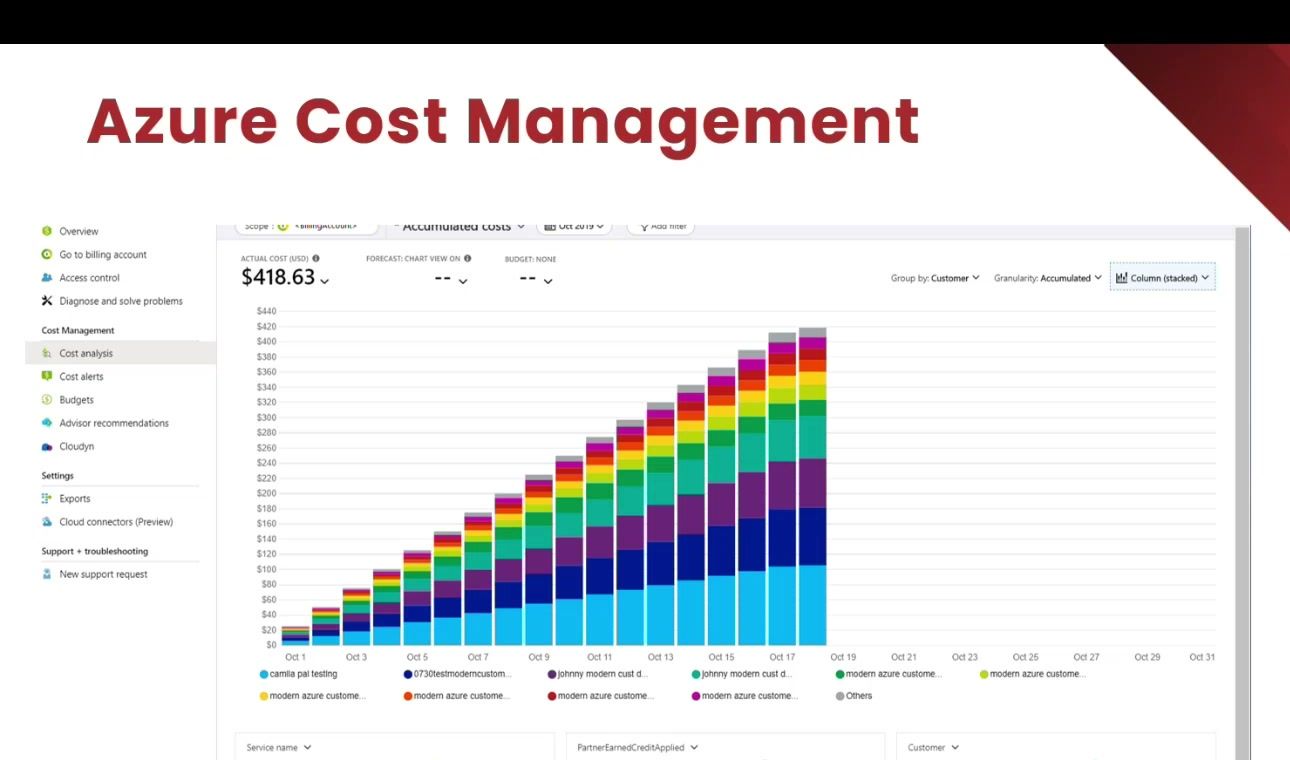
The cost optimization section was the most practical part of the session. Alex’s advice: stop being scared of the Azure bill. Review it monthly. Give your developers read access to the cost data. Use tags to track spend by workload.
Here’s the thing — when teams sit down and look at their bill, they start finding waste fast. App service plans still running for projects that ended months ago. Databases provisioned at business-critical tier for a 10 GB workload that could run on a basic SKU. Blob storage accumulating data for years with no lifecycle policies.
One thing Alex pointed out: just because you turn off an app service doesn’t mean you stop paying for it. You’re still paying for the plan. You have to delete the plan. That kind of detail quietly adds thousands to your monthly bill.
The other big one is reserved instances and Azure Savings Plans. If you know you’re running a workload for at least a year, committing to reserved capacity saves real money. Savings Plans give you flexibility across compute services (app services, VMs) without locking into a specific SKU.
And if you have a developer who accidentally leaves a loop running against a large AI model overnight, you could wake up to a very unpleasant bill. Set budgets. Set alerts. Don’t find out after the fact.
Security Is Ongoing, Not a Checklist
Alex was direct on this one: “Security is an ongoing process. Not everyone treats it like that. This is not a one-time implementation.”
The changes he walked through were pretty simple:
- Virtual networks and private endpoints to keep traffic off the public internet
- Managed identities instead of passwords and connection strings — no secrets to leak
- Web Application Firewall via Azure Front Door for OWASP protection
- Key Vault for any secrets that still need to exist
- Commit signing and secret scanning in your development pipeline
He also covered AI-specific security concerns. Prompt injection is real now that users can type English into your application and control parts of its behavior. And vibe coders putting their OpenAI keys in GitHub repos and waking up to massive bills — that’s happening. Content filtering, responsible AI governance, and supply chain security in your SDLC are all part of this now.
This Is a Business Problem
The thread through all five pillars: architecture decisions are business decisions. Whether you need active-active multi-region depends on what three hours of downtime costs your business. Whether you invest in advanced security depends on your regulatory environment. Whether you right-size your compute depends on whether your team even knows what they’re spending.
Alex’s summary: “Architecture is a business problem, not a tech problem.” The Well-Architected Framework gives technical teams a structured way to have that conversation with business stakeholders — and some managers still believe putting something in the cloud makes it inherently safe, which isn’t true.
AI Changes Every Pillar
What made this session different is Alex covered AI in every pillar instead of treating it as a separate topic:
- Reliability:hat happens when you hit OpenAI rate limits? When a model endpoint or region goes down? When a retrained model starts giving different answers?
- Security: Prompt injection, data governance for global deployments, content filtering
- Operational Excellence: Treat prompts like code — version them, review them, deploy through CI/CD. Monitor token usage, inference latency, model drift.
- Performance: AI semantic caching with Redis, model routing (do you need the biggest model for every question?), batch inference for things that don’t need real-time answers
- Cost: Token-based billing is a different world. Output tokens cost more than input. Every conversation passes the full history back to the model because LLMs are stateless. A long system prompt adds up on every request.
Point being — if you’re adding AI to your Azure environment and not running it through the WAF pillars, you’re taking on debt you’ll have to deal with later.
What to Do Next
The Well-Architected Framework has self-assessment tools available through Microsoft Learn. Alex recommended starting there, but also noted that having an outside perspective catches blind spots your team can’t see on their own.
We do free Azure Well-Architected Assessments — a focused conversation about your current architecture, where the gaps are, and what would make the biggest difference. If your Azure costs are growing faster than your business, or if you’re planning AI initiatives that need to get past proof-of-concept, it’s a good place to start.